Harnessing WhatsApp Cloud API for Israeli Business Growth
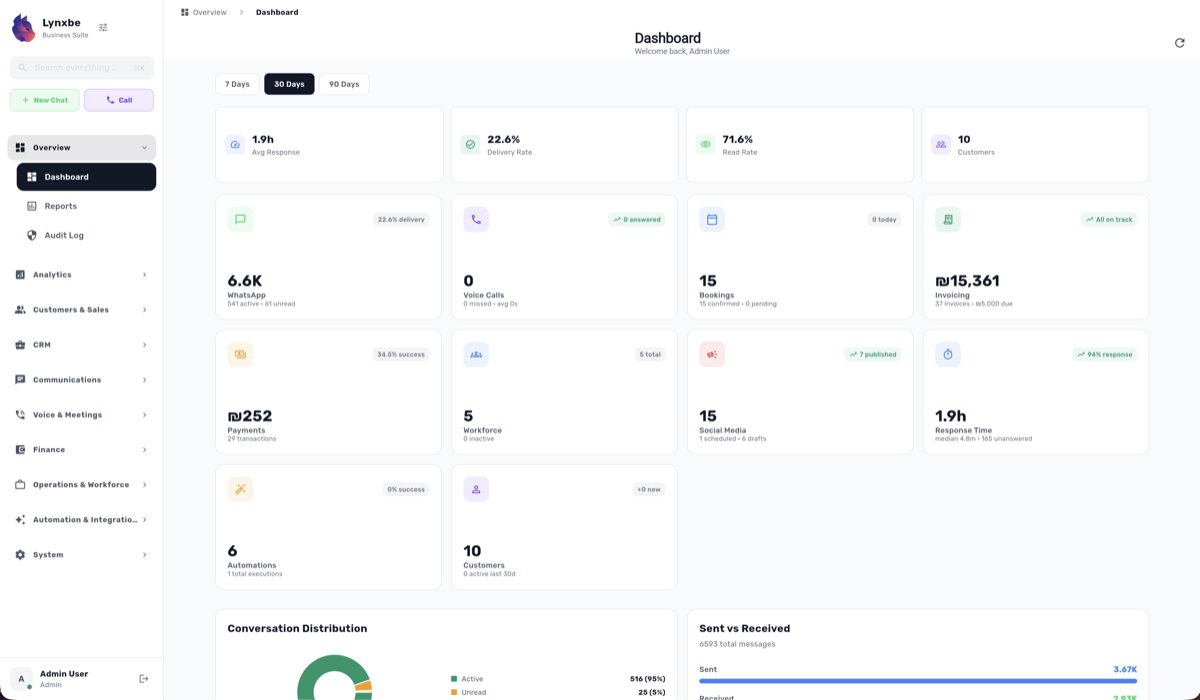
In recent years, WhatsApp has transformed from a simple messaging app to a powerful communication platform wielding immense potential for businesses globally. With the launch of the WhatsApp Cloud API, companies now have the opportunity to engage customers in real time, offer personalized support, and streamline their operations. For Israeli businesses, which are known for their innovation and willingness to adopt new technologies, the WhatsApp Cloud API presents a remarkable opportunity to enhance customer relations and drive growth.
As the digital landscape continues to evolve, businesses must leverage tools that can help them remain competitive. The WhatsApp Cloud API serves as a bridge between companies and their customers, allowing for seamless interactions that can significantly improve customer satisfaction. This blog post will delve into the features of the WhatsApp Cloud API, provide practical guidance for integration, share real-world success stories from Israeli startups, and outline best practices for customer communication.
The goal of this exploration is not only to highlight the potential of the WhatsApp Cloud API but to provide actionable insights that can empower tech professionals, developers, and business leaders in Israel to harness this tool to its fullest extent. It is essential to understand how to effectively implement this technology, which could ultimately define the success of many SMBs in the rapidly changing digital market.
By the end of this post, you will have a comprehensive understanding of how to utilize the WhatsApp Cloud API to enhance customer engagement and drive business growth in the Israeli market. Let’s embark on this journey of discovery together.
Overview of WhatsApp Cloud API Features for SMBs
The WhatsApp Cloud API offers a suite of features tailored to meet the needs of small and medium-sized businesses (SMBs). One of the standout features is the ability to send and receive messages through the API, allowing companies to engage with customers directly in their preferred communication channel. This feature not only enhances customer satisfaction but also increases the likelihood of conversion.
Another critical feature is the support for multimedia messaging, which enables businesses to share images, videos, and documents with their customers. This is particularly useful for industries such as e-commerce and real estate, where visual content plays a significant role in influencing purchasing decisions. The ability to send rich media messages can create a more engaging and interactive experience for customers.
Moreover, the API provides automated messaging capabilities, allowing businesses to set up chatbots for handling common inquiries. This can significantly reduce response times and free up human resources for more complex tasks. The automation of customer interactions can lead to higher efficiency and improved overall service quality, which are crucial for sustaining growth in competitive markets.
Lastly, the WhatsApp Cloud API includes robust analytics tools that allow businesses to track message delivery rates, read receipts, and other key performance indicators. This data can be invaluable for refining communication strategies and understanding customer behavior, enabling businesses to make informed decisions based on real-time insights.
Step-by-Step Guide on Integration into Existing Systems
Integrating the WhatsApp Cloud API into existing systems might seem daunting, but with a structured approach, it can be accomplished seamlessly. The first step involves signing up for a WhatsApp Business Account, which is essential for accessing the API. After creating an account, you will need to set up a cloud instance through Facebook's developer platform.
Once the account is established, the next step is to generate an API key. This key will be used to authenticate requests made to the WhatsApp Cloud API. It’s crucial to keep this key secure, as it provides access to your business's communication capabilities.
After obtaining the API key, you will need to configure your webhook. A webhook allows your application to receive real-time updates from WhatsApp. For instance, when a customer sends a message, your server will receive a notification through the webhook, enabling you to respond promptly.
The following code snippet illustrates how to set up a basic webhook endpoint using a simple Flask application in Python:
from flask import Flask, request

app = Flask(__name__)

@app.route('/webhook', methods=['POST'])
def webhook():
 data = request.json
 # Process the incoming message
 print("Received message:", data)
 return "Message processed", 200

if __name__ == '__main__':
 app.run(port=5000)
In this example, the webhook listens for POST requests and prints incoming messages to the console. From here, you can expand the logic to handle messages as required by your business logic.
Following the setup of the webhook, you can start sending messages. The API provides endpoints for sending text messages, media, and even templates. Here’s a simple example of sending a text message:
import requests

url = 'https://graph.facebook.com/v13.0//messages'
payload = {
 'messaging_product': 'whatsapp',
 'to': '',
 'text': {'body': 'Hello from our business!'}
}
headers = {
 'Authorization': 'Bearer ',
 'Content-Type': 'application/json'
}

response = requests.post(url, json=payload, headers=headers)
print("Message sent:", response.json())
This code snippet demonstrates how to send a simple text message using the WhatsApp Cloud API. Ensure to replace `
Once your integration is complete, it’s advisable to conduct comprehensive testing to ensure that all functionalities work as expected. Testing can help you catch potential issues before they impact your customers, ultimately leading to a smoother experience.
Real-World Use Cases of Successful Implementation in Israel
Several innovative Israeli companies have successfully harnessed the WhatsApp Cloud API to drive customer engagement and business growth. One such example is a leading e-commerce platform that integrated the API to enhance its customer support. By enabling customers to reach out via WhatsApp, the platform saw a significant increase in customer satisfaction scores and a decrease in response times.
Another notable case involves a local food delivery service that utilized the WhatsApp Cloud API to facilitate order tracking. Customers could receive real-time updates on their orders, including preparation status and estimated delivery times. This not only improved transparency but also reduced the volume of inbound customer inquiries, allowing staff to focus on other critical tasks.
Additionally, a prominent travel agency in Israel adopted the WhatsApp Cloud API to streamline its customer communication. The agency implemented automated messages to provide customers with essential travel updates, such as flight changes and booking confirmations. This proactive approach led to a noticeable improvement in customer retention rates, demonstrating the value of timely communication.
These successes highlight the versatility of the WhatsApp Cloud API across various industries. Whether it’s e-commerce, food delivery, or travel, businesses can leverage this tool to meet their unique needs and enhance the overall customer experience.
Best Practices for Customer Communication Using WhatsApp
When utilizing the WhatsApp Cloud API, adopting best practices for customer communication is essential to maximize its effectiveness. First and foremost, businesses should focus on personalization. Tailoring messages to individual customers can significantly enhance engagement. Addressing customers by their names and referencing their previous interactions can create a more personal connection.
Secondly, it’s crucial to maintain a balance between automation and human interaction. While chatbots can handle a significant volume of inquiries, there will always be situations that require a human touch. Ensure that customers have a way to connect with a live agent when needed, as this can prevent frustration and enhance satisfaction.
Another best practice is to be mindful of the frequency and timing of messages. Bombarding customers with too many notifications can lead to annoyance and potential unsubscriptions. It’s essential to find a rhythm that keeps customers informed without overwhelming them.
Lastly, make use of the analytics tools provided by the WhatsApp Cloud API to continually refine your communication strategy. Monitor metrics such as open rates and response times to identify areas for improvement. This data-driven approach can help businesses make informed decisions that enhance customer interaction and satisfaction.
Actionable Insights and Takeaways
In summary, the WhatsApp Cloud API represents a significant opportunity for Israeli businesses looking to enhance customer engagement and streamline operations. Its features, ranging from automated messaging to multimedia support, can help businesses connect with their customers in meaningful ways.
Integrating the API into existing systems may seem challenging, but a structured approach can simplify the process. By following the outlined steps and utilizing the provided code examples, businesses can quickly set up their communication channels and begin reaping the benefits.
Real-world case studies from Israeli companies demonstrate the tangible impact of the WhatsApp Cloud API. By adopting best practices and continually refining communication strategies, businesses can ensure they meet their customers' needs effectively.
Conclusion and Call to Action
As we navigate an increasingly digital world, the importance of effective communication cannot be overstated. The WhatsApp Cloud API is a powerful tool that can help Israeli businesses enhance their customer engagement strategies, drive growth, and remain competitive in their respective markets.
If you are a tech professional, developer, or startup founder, consider how the WhatsApp Cloud API can fit into your business strategy. Embrace the opportunity to integrate this technology into your operations, and stay ahead of the curve in customer communication.
Start your journey today by exploring the WhatsApp Cloud API documentation, setting up your integration, and experimenting with its features. The future of customer engagement is here, and it’s time to harness its potential for your business growth.


Comments
💬 Share your thoughts